
If your Coslus water flosser won’t turn on, the solution might be simpler than you think. This device uses USB charging for ultimate convenience, meaning you can power it up using any standard USB source. Whether you’re setting up a new unit or troubleshooting a stubborn charging issue, knowing the correct method ensures your flosser delivers the 14 to 21 days of use it’s designed for. This guide covers everything from finding the hidden charging port to maximizing battery life so your oral care routine never misses a beat.
Understanding how to properly charge your Coslus water flosser prevents common issues like slow charging, indicator light failures, and premature battery degradation. By following these steps, you’ll keep your device running efficiently for years to come.
Locate the Charging Port

Find the Hidden Port Cover
The charging port on your Coslus water flosser sits discreetly near the base or side of the handle. A small rubber or silicone flap protects it from water damage. Gently pull back this flap to reveal the port underneath. Most Coslus models use either micro-USB or USB-C connectors, so check your specific model to confirm which type you have. Never force the flap open if it feels stuck, as moisture or debris may be blocking it.
Identify Port Type by Model
Newer Coslus water flosser models typically feature USB-C for faster charging and improved durability. Older versions may still use micro-USB, which works fine but charges more slowly. Knowing your port type matters because it determines cable compatibility. Refer to your user manual or packaging if you’re unsure which connector your device requires.
Connect to Power Safely
Use a Compatible Power Source
Plug the standard USB end of the included cable into a 5V power source. Recommended options include USB wall adapters rated at 5V/1A or 5V/2A, laptop or desktop USB ports, portable power banks, and car USB chargers. Avoid low-output sources like older computers or unbranded adapters, as they may not deliver enough power for efficient charging. For fastest results, use a wall adapter with at least 1A output.
Insert Cable Securely
Insert the smaller end of the cable firmly into the flosser’s charging port. You should feel slight resistance, which ensures a solid connection. If the cable wobbles or won’t stay in place, check for lint, moisture, or visible damage. A loose connection often causes charging failures or intermittent restarts during the charging cycle.
Monitor Charging Status
Check the LED Indicator Light
Once connected, your Coslus water flosser displays its charging status through an LED light. This indicator is your primary signal that charging has begun. A red or amber light means charging is in progress. A green or blue light indicates the battery is fully charged. If no light appears, double-check your power source and cable connection. Some models only show the indicator when the device is turned off, so ensure your flosser is powered down before charging.
Estimate Full Charge Time
Most Coslus water flossers take 2 to 4 hours to reach full charge, depending on the starting battery level and your power source. Using a higher-output adapter like 5V/2A speeds up the process. Avoid unplugging early unless necessary, as repeated partial charges can reduce long-term battery efficiency over time.
Complete Charging Cycle
Wait for Full Charge Before Use
Even if your flosser seems to work after 30 minutes of charging, let it reach 100% for optimal performance and battery lifespan. Premature disconnection may result in shorter usage time between charges. Once the indicator turns green or blue, wait an extra 10 to 15 minutes to ensure complete battery saturation before unplugging.
Disconnect and Seal the Port
Unplug the cable from both the flosser and the power source. Then fully close the rubber flap over the charging port. This step is critical for maintaining the device’s water resistance and preventing corrosion. Leaving the flap open risks moisture damage during brushing or rinsing sessions.
Maximize Battery Longevity
Follow Charging Best Practices
To extend your Coslus water flosser’s battery life, follow these essential practices. Always dry the port before charging to prevent short circuits. Use certified USB cables and adapters from reputable brands. Avoid charging in steamy or humid environments like bathrooms immediately after showering. If storing the device long-term, charge it at least once every 3 months to preserve battery health. Lithium-ion batteries degrade faster when left completely drained or exposed to heat, so charging in a cool, dry place helps preserve capacity.
Prevent Common Charging Mistakes
Users often make these errors that shorten battery life. Charging with a wet port causes short circuits and potential damage. Using phone chargers with unstable output can harm the battery. Leaving the device plugged in overnight regularly, even with built-in protections, accelerates wear over time. Never use sharp objects to clean the port. Use a dry cotton swab instead to remove debris gently.
Troubleshoot Charging Problems
Fix: Device Won’t Charge
If your Coslus flosser shows no response when plugged in, try these solutions. First, inspect the port for lint, water, or debris and clean it gently with a dry cloth. Second, try a different USB cable, preferably the original one that came with your device. Third, test with another power source such as switching from a laptop to a wall adapter. Fourth, ensure the device is turned off, as some models won’t charge when powered on. If none of these work, reset the device by holding the power button for 10 seconds if your model supports this feature.
Fix: No Indicator Light
When the LED indicator doesn’t turn on, verify that your power source works by testing it with another device. Examine the USB cable for fraying or bent pins that could cause connection issues. Clean the charging port gently with a dry cloth to remove any obstructions. Confirm the rubber flap isn’t pressing against the connector in a way that prevents proper contact. Persistent issues may indicate internal battery failure, so contact Coslus support if your device is still under warranty.
Compare Model Differences
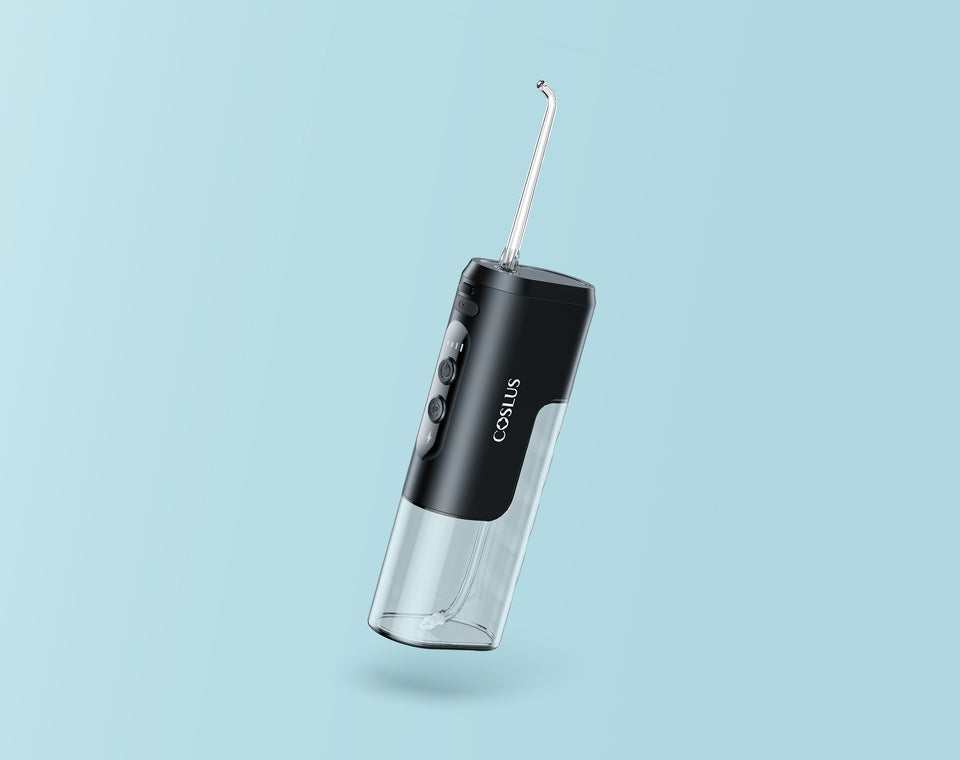
USB-C vs Micro-USB Models
Modern Coslus water flosser models differ primarily in their charging port type. USB-C models offer faster charging, with charging speeds up to 50% quicker than older versions. The reversible plug design also means easier, more durable connections. Micro-USB models provide standard charging speed and are compatible with older cables, though this connector type is becoming less common. Newer Coslus versions increasingly use USB-C for improved user experience, so if you own an older model, consider upgrading for better reliability.
Port Cover Design Variations
Some Coslus water flosser models use a flip-open flap design while others feature a sliding cover. Both serve the same protective function by keeping moisture away from the charging port. If your cover feels loose or damaged, stop using the device until repaired, as exposed ports are vulnerable to water ingress that can cause permanent damage.
Maintain Long-Term Performance
Clean and Dry After Every Use
After each flossing session, wipe the handle and port area with a dry cloth to remove moisture. Empty any remaining water from the reservoir to prevent bacterial growth. Store the device upright in a dry location to protect both the internal components and the charging port. Moisture near the charging port accelerates corrosion and can cause permanent charging failure over time.
Store Properly During Downtime
If you won’t use your flosser for weeks, charge it to about 50 to 80% before storage. Keep it in a cool, dry cabinet away from the bathroom’s humidity. Recharge every 3 months to prevent deep discharge, which can permanently reduce battery capacity. This routine prevents battery degradation and ensures the device powers up reliably when you need it again.
Seek Support When Needed
Warranty and Replacement Options
Coslus offers a 1-year limited warranty covering defects in materials and workmanship, including battery and charging components. If your flosser fails to charge despite troubleshooting, contact Coslus customer support with your proof of purchase. Request a replacement or repair through their official channels. Avoid third-party repairs that void the warranty, as many users report quick responses and replacements for legitimate issues.
When to Replace the Device
Consider replacing your Coslus water flosser if the battery lasts less than 3 days after a full charge. Also upgrade if the charging port is physically damaged or if there’s no indicator light despite trying multiple cables and power sources. Devices more than 2 years old with declining performance may also need replacement. Even with proper care, batteries eventually wear out, and upgrading ensures reliable, effective cleaning for your oral health routine.
Frequently Asked Questions About Charging Your Coslus Water Flosser
How long does it take to fully charge a Coslus water flosser?
Most Coslus water flossers take 2 to 4 hours to reach full charge, depending on the battery level when you start and the power source you’re using. Using a wall adapter with higher output like 5V/2A charges faster than connecting to a computer USB port.
Can I use my phone charger to charge my Coslus water flosser?
Yes, you can use most phone chargers as long as they output 5V at 1A or higher. Avoid chargers with unstable output or those from unbranded sources, as they may not deliver consistent power. The included USB cable works best with the charger that came with your device or any certified wall adapter.
Why is my Coslus water flosser not charging even when plugged in?
First, check that the charging port is clean and free of debris. Try a different USB cable, preferably the original one. Test with another power source like switching from a laptop to a wall adapter. Make sure the device is turned off during charging, as some models won’t charge when powered on.
How do I know when my Coslus water flosser is fully charged?
Your Coslus water flosser displays a green or blue LED indicator light when fully charged. During charging, the light appears red or amber. Once the light changes to green or blue, wait an extra 10 to 15 minutes to ensure complete battery saturation before unplugging.
How often should I charge my Coslus water flosser?
After a full charge, your Coslus water flosser typically provides 14 to 21 days of regular use, assuming two uses per day at one minute per session. Charge it whenever the battery runs low or the indicator shows red. If storing the device long-term, charge it to 50 to 80% and recharge every 3 months.
Key Takeaways for Charging Your Coslus Water Flosser
Proper charging technique keeps your Coslus water flosser working effectively for years. Always locate the hidden charging port, use compatible USB power sources, and wait for the full charge cycle to complete before use. The LED indicator light tells you everything you need to know about charging status, so pay attention to whether it shows red during charging or green when fully charged.
Maintaining the charging port by keeping it dry and clean prevents common issues like failed charging and indicator light problems. Following best practices like avoiding humid charging environments and using certified cables extends battery life significantly. When troubleshooting doesn’t resolve your charging issues, take advantage of Coslus’s 1-year warranty for replacement or repair. With these steps, your water flosser will provide reliable oral care for months between charges.