
If your Coslus water flosser isn’t charging, you might assume the device is broken. Before you return it, know this: the problem is almost never the flosser itself. Most charging failures happen because users try to use standard USB-C cables on a port that only looks like USB-C. Understanding the difference between these two connector types is the key to solving your charging issue quickly.
This guide walks you through identifying the correct port type, finding the right cable, troubleshooting failures, and keeping your flosser charged for years to come. You’ll learn exactly what cable you need, where to get a replacement, and how to avoid the common mistakes that send working devices back to the store.
Identify the Charging Port Type

Before troubleshooting, you need to confirm what kind of charging port your Coslus water flosser actually has. Mistaking this port for USB-C is the number one reason charging fails.
Check for the 8-Pin Figure-8 Port
Look closely at the charging port on your flosser. If it’s a small, oval-shaped socket with eight metal pins arranged in two parallel rows, you’re looking at a proprietary figure-8 connector, not USB-C. This port is reversible, which makes it look even more like USB-C. But despite the visual similarity, standard USB-C plugs will not fit or charge your device.
USB-C vs Figure-8: Key Differences
| Feature | True USB-C Port | Coslus Figure-8 Port |
|---|---|---|
| Shape | Slightly trapezoidal | Oval and symmetrical |
| Pin Layout | 24-pin standard | 8-pin proprietary |
| Cable Compatibility | Works with any USB-C cable | Only with USB-A to figure-8 cable |
| Reversible | Yes | Yes |
| Industry Standard | Universal | Proprietary |
If you’ve been using a USB-C to USB-C cable, that’s exactly why your flosser won’t charge. The plug may seem to fit, but no power is being delivered.
Use the Correct Charging Cable
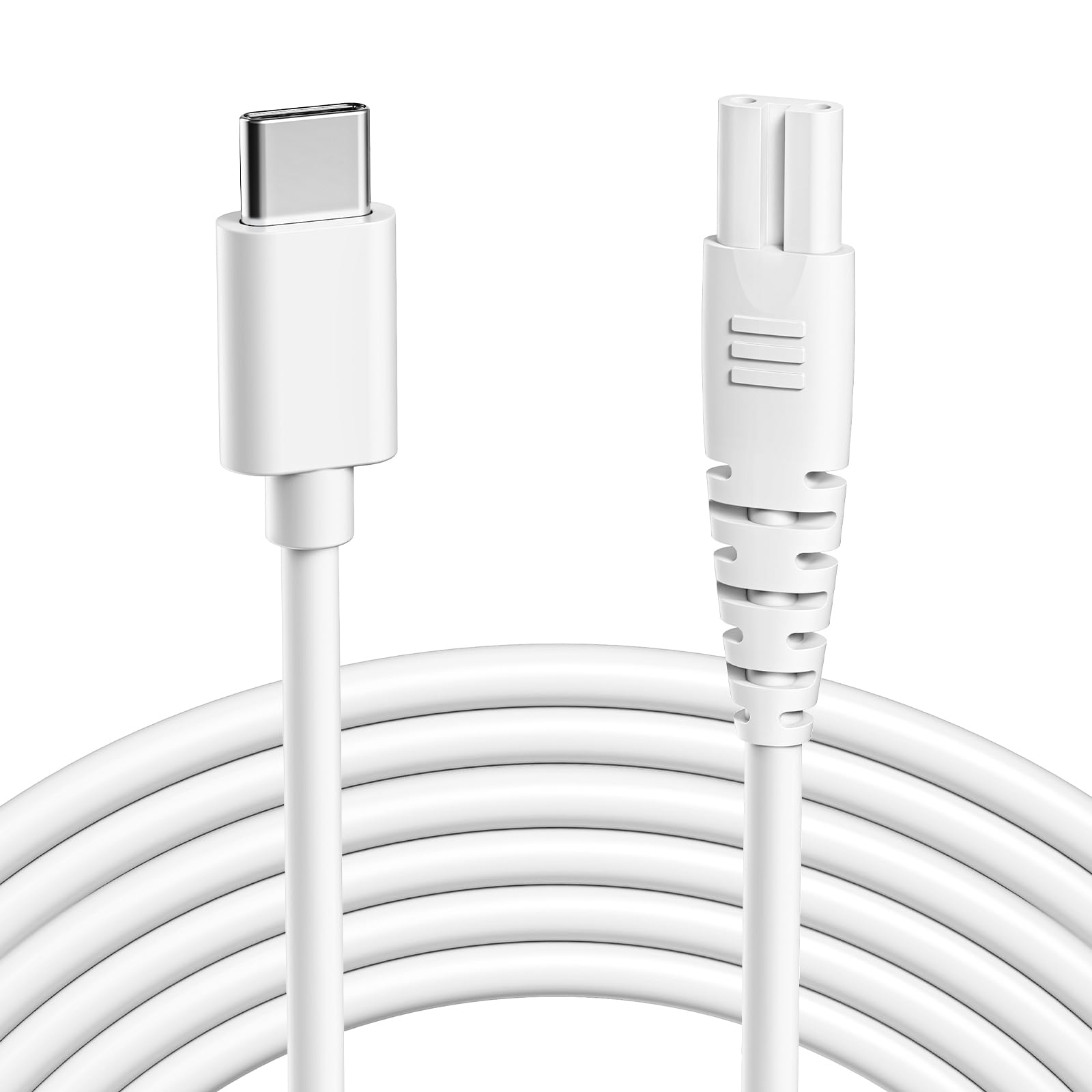
The single most important step to fix your Coslus water flosser not charging is using the right cable. There are no exceptions to this rule.
Original USB-A to Figure-8 Cable
Your Coslus water flosser must be charged with the included USB-A to figure-8 charging cable. This specific cable has a rectangular USB-A male plug on one end and an oval 8-pin figure-8 plug on the other. The cable includes built-in protections against over-voltage, over-charge, and overheating.
What Happens If You Use USB-C Cables
Using standard USB-C cables will fail completely. USB-C to USB-C cables won’t work because the port isn’t actually USB-C compatible. USB-A to USB-C cables may appear to fit but won’t charge reliably unless they’re figure-8 cables in disguise.
Access the Charging Port Properly
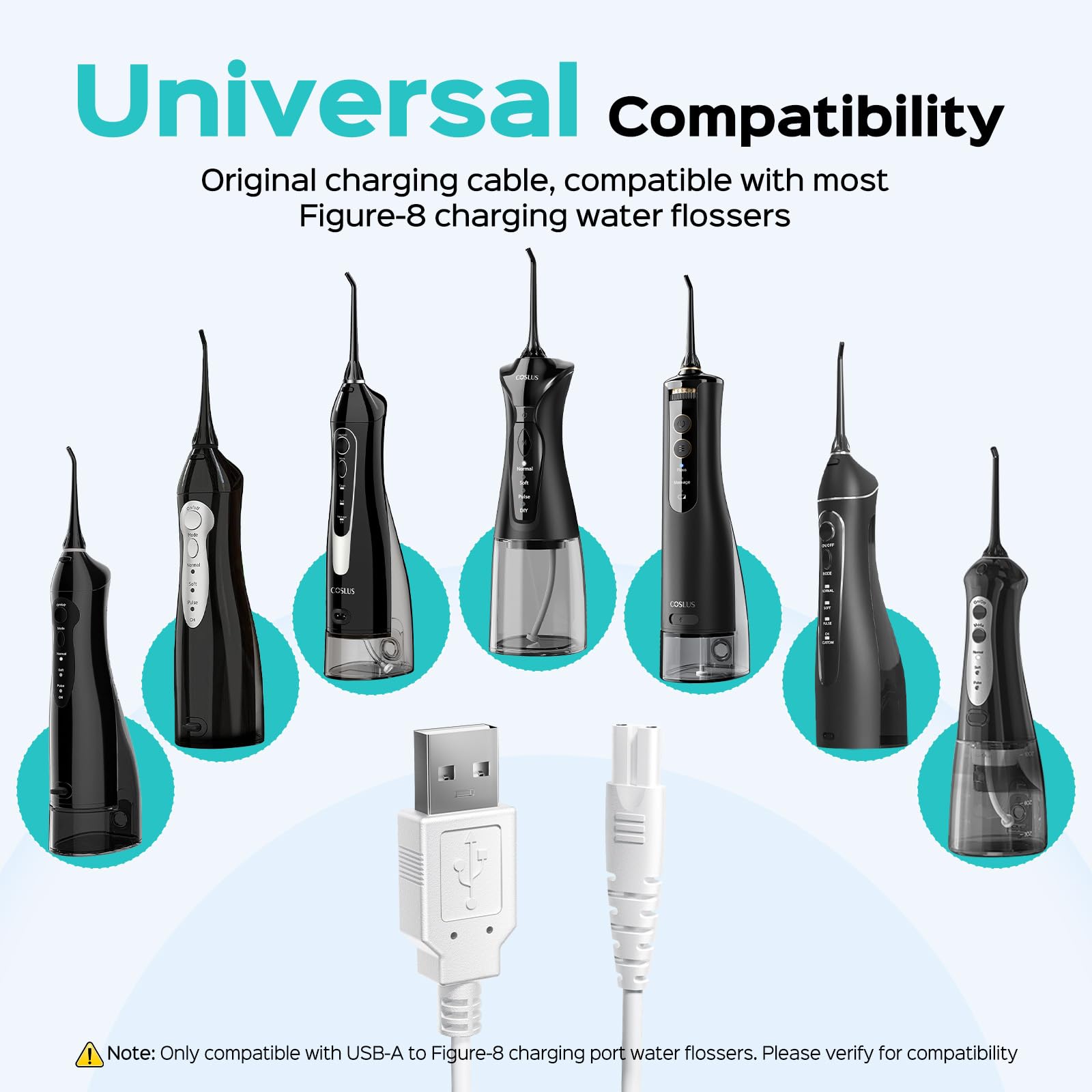
Even with the correct cable, charging fails if the port isn’t properly accessed. The charging port is sealed with a waterproof rubber bung to prevent leaks.
Remove the Rubber Bung
Before inserting the charging cable, you must remove the rubber bung covering the port. Locate the small rubber plug at the base or front of your handle, then gently pull it out using your fingernail or a soft tool. Set it aside in a safe place where it won’t get lost.
Reinsert Bung After Charging
Once charging is complete, replace the rubber bung to maintain your device’s water resistance. Leaving it out risks internal moisture damage during use.
Connect to a Working Power Source
Using the correct cable isn’t enough. You also need a reliable power source that delivers adequate power.
Recommended Power Sources
The most effective power sources for your Coslus water flosser include a standard phone wall charger rated at 5V/1A or higher, a powered USB port on a computer or laptop, a power bank with USB-A output, or a car charger with a USB-A port. Avoid low-power sources like unpowered USB hubs or older laptop ports that deliver less than 500mA.
Test the Outlet and Cable
If your flosser still won’t charge, try plugging the USB-A end into a known working charger such as your phone’s wall adapter. Ensure the figure-8 end is fully seated in the flosser port. Look for a charging indicator light, which is usually red or blue.
Troubleshoot Common Charging Failures
Even with the right setup, issues can arise. Use this section to isolate and fix the problem.
Device Doesn’t Charge at All
Possible causes include using the wrong cable type, leaving the rubber bung in place, a faulty power adapter, or a damaged charging cable. Double-check that you’re using the original USB-A to figure-8 cable, confirm the bung is removed, test with a different USB-A wall charger, and inspect the cable for fraying or bent connectors.
Charging Light Won’t Turn On
Possible causes include a dead battery after long storage, a dirty or corroded port, or an internal circuit fault. Try charging for at least 30 minutes before expecting a light to appear. Clean the port gently with a dry cotton swab, blowing gently to remove dust. Contact Coslus support if there’s still no response.
Slow or Intermittent Charging
Possible causes include a low-output USB source, a loose cable connection, or an aging battery. Use a 5V/1A or 2A wall charger and ensure the figure-8 plug clicks securely into place. Allow up to 4 hours for a full charge under optimal conditions.
Replace the Charging Cable If Needed
If you’ve lost or damaged the original cable, you can still get your flosser working. Replacement requires care to ensure you get the right specifications.
Correct Replacement Specs
When buying a new cable, ensure it has USB Type-A male input, 8-pin figure-8 output (not USB-C), approximately 120cm length, 5V input power rating, and safety features like over-voltage and over-charge protection.
Where to Buy
Search for COSLUS water flosser replacement charger or USB A to figure-8 cable on Amazon. The official COSLUS Store on Amazon is the most reliable source for genuine parts. Only buy from third-party sellers if the listing explicitly mentions compatibility with Coslus C20, E40, C30, or C31 models.
Compatible Models
This same cable works across multiple devices including Coslus C20 (F5020E), E40 (WFP14), C30 (FC5360), and C31 (F5023). It also works with Nicwell F5025, Oralfree F5025, Aquasonic, HANGSUN HOC460P-US, Tovendor, and Zerhunt models.
Prevent Future Charging Issues
Once you’ve fixed the problem, take steps to avoid repeat failures.
Keep the Original Cable Safe
Store the original cable separately from your other USB-C cables to avoid mix-ups. Label it with tape or a tag marking it for Coslus Flosser Only. Consider buying a spare cable while available.
Educate All Users
Show everyone in your household what the correct cable looks like and where the rubber bung goes. Explain that charging takes up to 4 hours so they don’t assume something is wrong.
Use a Dedicated Charging Spot
Set up a permanent charging station near a USB-A wall outlet. This reduces the chance of using the wrong cable or forgetting to charge your device.
When to Contact Support
If you’ve followed all the steps and your flosser still won’t charge, confirm you’re using the correct cable and power source. Try charging for 30 or more minutes to rule out deep discharge. Inspect for physical damage to the port or handle.
If there’s still no progress, contact COSLUS customer service through Amazon or their official website. Provide proof of purchase and request a replacement cable or unit under warranty.
Frequently Asked Questions About Coslus Water Flosser Charging
Why won’t my Coslus water flosser charge with a USB-C cable?
Coslus water flossers don’t use USB-C ports. They use a proprietary 8-pin figure-8 charging port that looks similar to USB-C but requires a specific USB-A to figure-8 cable. Standard USB-C cables are incompatible.
How do I know if my Coslus has the figure-8 port?
Look at the charging port on your device. If it’s a small oval shape with eight metal pins arranged in two parallel rows, it’s the figure-8 port. True USB-C ports have a slightly trapezoidal shape with 24 pins.
Can I use any USB-A charger with my Coslus water flosser?
Yes, as long as it’s a standard USB-A wall charger outputting 5V/1A or higher. You can use your smartphone charger, computer USB port, power bank, or car charger.
Where can I get a replacement charging cable?
Search for COSLUS water flosser replacement charger or USB A to figure-8 cable on Amazon. The official COSLUS Amazon store offers genuine replacements. Make sure the listing specifically mentions compatibility with your model.
How long does it take to fully charge a Coslus water flosser?
Under optimal conditions, allow up to 4 hours for a full charge. Use a 5V/1A or higher wall charger for the best results.
Key Takeaways for Fixing Your Coslus Water Flosser Charging Issue
The Coslus water flosser not charging problem is almost always solved by using the original USB-A to figure-8 cable instead of trying to use USB-C cables. The port design is misleading because it resembles USB-C, but it’s actually a proprietary 8-pin connector that only works with the included cable or a specific replacement.
Always remove the rubber bung before charging and replace it afterward to maintain water resistance. Use a wall charger with at least 5V/1A output and avoid low-power sources like unpowered USB hubs. If you need a replacement cable, verify it explicitly states compatibility with Coslus C20, E40, C30, or C31 models before purchasing.
Keep your original cable labeled and stored separately from other cables. Contact Coslus support if your device still won’t charge even with the correct cable and power source, as it may be defective and eligible for warranty replacement.