
If your Waterpik water flosser won’t turn on or dies mid-use, the problem might simply be that it needs a proper charge. Many users ask how long to charge Waterpik water flosser devices, especially the popular WP-450W model. The answer isn’t the same in every situation—it varies depending on whether you’re charging for the first time, doing a routine top-up, or recovering from a completely dead battery.
This guide covers exact charging times for the WP-450W and newer models, explains what the LED lights mean, shares best practices for battery health, and walks through troubleshooting steps. You’ll learn how to get the most from your device and when to consider battery replacement or an upgrade.
Exact Charging Times for Waterpik WP-450W
The WP-450W requires between 12 and 24 hours of charging, depending on the situation. Understanding these scenarios helps you charge correctly and avoid damaging the battery.
First Charge: Initial Setup
When you first use your WP-450W or haven’t used it for several months, charge it for a full 16 hours. This initial charge allows the NiMH battery to reach full capacity and calibrate properly. Even if the LED turns green earlier, complete the full 16 hours to ensure maximum long-term performance. Keep the unit steady on the charging base throughout this time.
Routine Charging After Daily Use
After regular use, a 12 to 16-hour charge restores full power. The WP-450W is designed to stay on the charging base between uses, so you can leave it docked safely. The built-in circuitry prevents overcharging, making it convenient to keep the unit on the base 24/7. However, avoid short top-ups because frequent partial charges reduce battery efficiency over time.
Recovery After Full Battery Drain
If your flosser dies completely and won’t turn on, the battery is fully depleted. In this case, charge continuously for 24 hours. Don’t unplug the unit early, even if the LED changes color. A deep discharge needs extended charging to reactivate the battery cells. After this recovery charge, normal 12 to 16-hour cycles will work fine.
Understanding Your Waterpik’s NiMH Battery
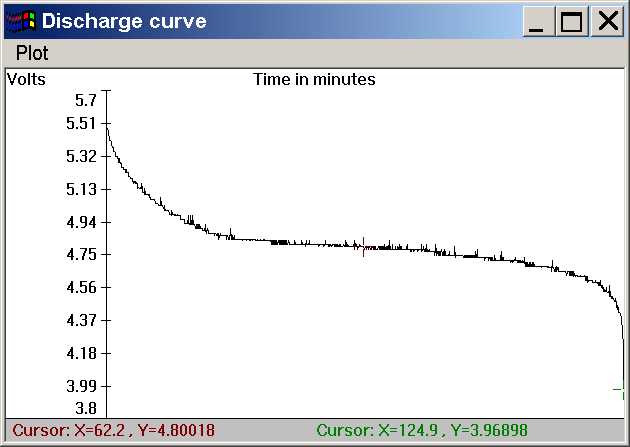
The WP-450W uses a Nickel-Metal Hydride battery, which has specific characteristics that affect charging and lifespan.
How NiMH Batteries Work
NiMH batteries are reliable but charge more slowly than modern lithium-ion batteries. Unlike lithium-ion units, NiMH batteries benefit from full discharge and recharge cycles every few months to maintain capacity. They are also sensitive to temperature and partial charging, which can cause memory effect—a gradual reduction in usable battery life.
Expected Battery Longevity
With daily use (1 to 2 sessions), the WP-450W’s battery lasts 1.5 to 2 years before capacity noticeably declines. After this point, you may experience shorter run times or difficulty holding a charge. The battery is user-replaceable, and both third-party and OEM options are available. Replacement takes basic tools and about 20 minutes.
Reading LED Charging Indicators

The LED light on your Waterpik tells you exactly what’s happening with the charging process. Here’s how to interpret each signal.
What Solid Red Means
A solid red LED means the Waterpik is actively charging. This light appears as soon as you place the unit on the base and stays on until the battery reaches full capacity. During charging, avoid moving or removing the device. If the red light stays on for more than 24 hours without turning green, check for poor contact, power issues, or battery degradation.
What Solid Green Means
When the LED turns solid green, the battery is 100% charged and ready for use. On the WP-450W, green typically appears after 12 to 16 hours under normal conditions. If you see green before 12 hours, verify that the battery was not already partially charged. A premature green light can indicate a failing battery that cannot accept a full charge.
Flashing Red Light解释
A flashing red light means either low battery or a charging problem. If the device just finished use, flashing red simply means it needs charging—place it on the base. But if it flashes while docked, investigate further. Common causes include dirty contacts, misalignment, cold temperatures, or battery failure.
No Light on the Charging Base
If no LED lights up when the unit is on the charger, first check the power source. Plug another device into the outlet to confirm it works. Inspect the adapter for damage and ensure the charging base is dry and clean. A missing light could also mean internal circuit failure or a dead battery.
Best Practices for Charging Your Waterpik
Following these guidelines keeps your battery healthy and extends the life of your device.
Avoid Short Charging Cycles
Frequently charging for just a few hours instead of completing a full cycle harms NiMH batteries. This leads to reduced capacity and shorter run times over months. Always aim for full 12 to 16-hour charges after use. Treat the device like a rechargeable toothbrush—charge it fully, use it down, then repeat.
Charge in Moderate Temperatures
Charge your Waterpik in a room between 32°F and 104°F. Cold bathrooms or steamy environments slow charging and may trigger errors. Never charge near heaters, in direct sunlight, or in freezing conditions. If the unit feels unusually hot or cold, let it acclimate to room temperature before placing it on the base.
Keep Contacts Clean and Dry
Dirt, toothpaste residue, or mineral buildup on the metal charging contacts can block power transfer. Wipe both the device and base contacts weekly with a dry, lint-free cloth. For stubborn grime, use a cotton swab slightly dampened with rubbing alcohol, then dry immediately.
Align Properly on Charging Base
Misalignment is a top cause of failed charging. The metal pins on the flosser must match perfectly with the contacts on the base. Place the unit straight down without tilting or forcing it. If it wobbles or feels loose, adjust the position until it sits flush.
Troubleshooting Common Charging Issues
Even with proper care, charging problems can occur. Here’s how to diagnose and fix the most common issues.
Device Shows No Light When Plugged In
Start with the basics when there’s no LED response. Check that the wall outlet works by plugging in another device. Inspect the power adapter for frayed wires or damage. Ensure the charging base is plugged in securely. Clean both sets of contacts. Try a different outlet. If none of these steps work, the issue may be internal, such as a blown fuse in the adapter or failed circuit board.
Flashing Red Persists After Hours of Charging
A persistent flashing red light after 12 or more hours suggests deeper issues. Battery degradation is common after 18 to 24 months. Poor connection can be caused by dirty or misaligned contacts. Temperature problems occur when charging in a cold bathroom. Solutions include cleaning contacts thoroughly, moving to a warmer room (68 to 77°F), and attempting a 24-hour uninterrupted charge.
Red Light Stays On Indefinitely
If the LED remains solid red forever, the battery may not be reaching full charge. This can happen due to interrupted power (loose plug), aging battery with reduced capacity, or faulty charging circuit. Fix it by using a different outlet, ensuring continuous power for 24 hours, and testing with a replacement battery.
How Newer Waterpik Models Compare
Newer Waterpik models offer significant improvements over the WP-450W, particularly in charging speed and battery technology.
WP-660 and Cordless Advanced Models
The WP-660 Cordless Advanced uses lithium-ion battery technology instead of NiMH. This change brings faster charging times of just 3 to 4 hours, compared to 12 to 24 hours for the WP-450W. Lithium-ion batteries also last longer and don’t suffer from memory effect.
2024-2025 USB-C Models
The newest Waterpik models feature USB-C charging, which offers several advantages. Charge times drop to just 2 to 3 hours. You can charge using power banks or laptops. Some models include digital displays or multi-segment LEDs for precise battery status. These upgrades make charging more convenient for travelers and users who want quick turnaround times.
Extending Your Waterpik Battery Service Life
A few simple maintenance steps help your battery last as long as possible.
Monthly Maintenance Routine
Clean contacts monthly with a dry cloth or cotton swab. Check alignment each time you dock the unit. Avoid leaving it in humid areas like near showers. Use the original charger only because third-party adapters may not provide correct voltage.
Occasional Full Discharge
Every 2 to 3 months, let the battery drain completely before recharging. This recalibrates the battery and helps maintain accurate charge reporting. Run the flosser until it stops, then give it a full 24-hour charge. Do this even if you normally keep it on the base.
Long-Term Storage Tips
If storing the flosser for over a month, charge it to 50% before turning it off. Store in a cool, dry place away from sunlight. Recharge every 3 months to prevent deep discharge. Remove water from the tank to avoid mold or mineral buildup.
Key Takeaways for Charging Your Waterpik
Knowing how long to charge a Waterpik water flosser makes a big difference in daily usability and long-term value. Charge the WP-450W for 12 to 16 hours routinely and 24 hours if fully drained. Always monitor the LED lights to understand charging status. Keep contacts clean, avoid partial charges, and replace the battery after 1.5 to 2 years for continued performance. While newer models charge faster, proper care keeps the WP-450W effective for years.
Frequently Asked Questions About Charging Waterpik Water Flossers
How long does the WP-450W take to charge the first time?
Charge your WP-450W for approximately 16 hours when first used or after prolonged storage. This ensures the NiMH battery reaches full capacity and calibrates properly for optimal long-term performance.
Can I leave my Waterpik on the charging base all the time?
Yes, the WP-450W is designed to remain on the charging base between uses without risk of overcharging. The built-in circuitry prevents battery damage, so keeping it docked 24/7 is safe and convenient.
Why is my Waterpik flashing red after charging for hours?
A flashing red light usually indicates low battery or a charging problem. Try cleaning the metal contacts, ensuring proper alignment on the base, and moving the device to a warmer room. If the problem persists after 24 hours, the battery likely needs replacement.
How do I know when my Waterpik is fully charged?
The LED turns solid green when the battery reaches 100% charge. On the WP-450W, this typically happens after 12 to 16 hours of normal charging or 24 hours after a complete battery drain.
How often should I replace the Waterpik battery?
With daily use, the WP-450W battery lasts 1.5 to 2 years before capacity noticeably declines. Replace the battery when you notice shorter run times, difficulty holding a charge, or if the LED behaves abnormally.