
You just unboxed your Burst Water Flosser and are ready to start improving your oral health. But before you can use it, you need to charge it. Unlike standard USB-C or wireless devices, the Burst Water Flosser uses a proprietary charging system, which can be confusing if you are not sure what cable to use or how long it takes to charge. The good news is that charging it is simple once you know the right steps and have the correct cable.
This guide covers everything you need to know, including the exact charger specs, step-by-step charging instructions, best practices, and how to troubleshoot common charging issues. Whether you lost your original cable or just want to ensure you are charging safely, you will find all the facts here.
Use the Right Charging Cable

The Burst Water Flosser requires a specific cable type that is not standard among most modern devices. Using the wrong cable will either fail to charge the device or potentially cause damage.
Confirm USB-A to DC 2mm x 0.5mm Connector
The Burst Water Flosser requires a USB-A to DC 2mm x 0.5mm charging cable. This is not a standard USB-C or micro-USB cable, so using the wrong one will not work and could damage the device. The “2mm x 0.5mm” refers to the outer diameter and center pin size of the DC plug that inserts into the flosser.
Always check the label or product description when buying a replacement. Even a slight difference, such as a 2.5mm plug, will not fit properly and may cause connection issues or port damage.
Choose a Trusted Replacement if Needed
If you have misplaced your original cable, a compatible $7.00 replacement is widely available online and has earned a 4.7 out of 5 stars from 15 verified buyers. Users report it fits perfectly and charges just like the original. It works with any standard 5V USB power source, including wall adapters, laptops, power banks, and car chargers.
Pro tip: Keep a spare on hand. Since the cable is specific, losing it could leave your flosser unusable until a new one arrives.
Follow the Correct Charging Steps
Charging your Burst Water Flosser properly ensures the battery lasts as long as possible and the device works reliably. Follow these steps in order.
Plug DC End Into Flosser First
To begin charging, insert the DC plug (the small round end) firmly into the charging port on the base or side of the flosser handle. You should feel a snug fit. Avoid forcing it. If it does not slide in smoothly, double-check the orientation and plug size.
Make sure the port and connector are dry. Never charge a wet device. Always dry the flosser thoroughly after each use to prevent corrosion or electrical issues.
Connect USB-A to Power Source
Next, plug the USB-A end into a powered USB port. This can be a wall adapter (5V/1A or higher), a laptop or desktop computer, a power bank, or a car charger with USB output. For fastest results, use a wall adapter instead of a low-output port on older computers.
Watch for Charging Indicator
While exact LED behavior is not officially documented, most users report a light turns on (often red) when charging begins and changes to green or turns off when fully charged. If no light appears, check the connection and try a different cable or power source.
No indicator does not always mean it is broken. Sometimes the light is dim or internal. If the flosser works after 3 or more hours, it likely charged correctly.
Wait 2–4 Hours for Full Charge
Most users achieve a full charge in 2 to 4 hours, depending on battery level. There is no official battery capacity listed, but based on similar devices, the flosser likely uses a rechargeable lithium-ion battery.
Avoid leaving it plugged in overnight regularly. While overcharge protection is likely built-in, unplugging once charged helps extend battery life.
Avoid Common Charging Mistakes
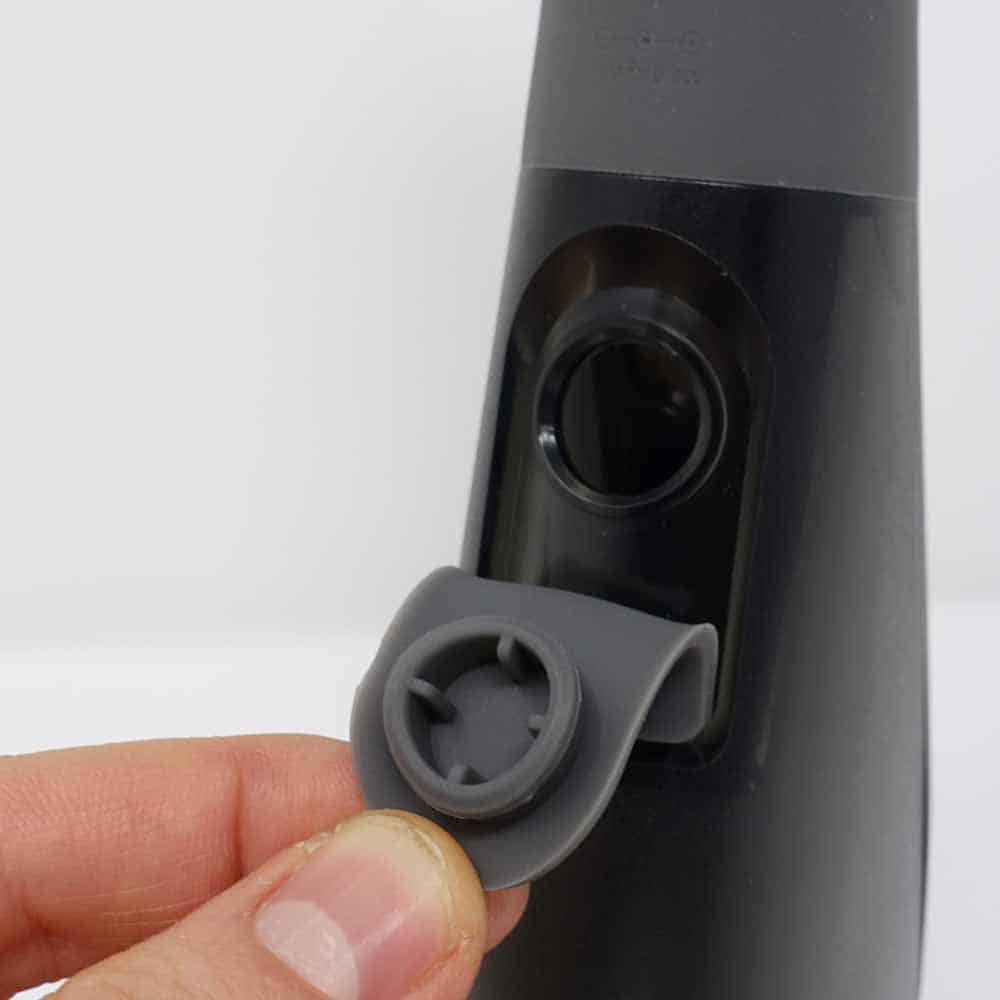
Many charging problems stem from simple mistakes that are easy to avoid. Keep these points in mind to protect your device.
Do Not Use Fast-Charging or High-Voltage Ports
Even though the cable fits, avoid using fast-charging adapters (such as 9V or 12V) unless explicitly approved by Burst. Stick to standard 5V USB outputs. Higher voltage can degrade the battery or damage internal circuits over time.
When in doubt, use a basic 5V/1A wall charger. The kind that comes with older smartphones works perfectly.
Never Charge a Wet Device
Moisture in the charging port is a top cause of charging failure. Always wipe the flosser dry after brushing or rinsing. For best results, shake out excess water and let it air-dry for a few minutes before charging.
If you suspect moisture inside, wait at least 30 minutes before plugging in.
Store Cable Properly
Coil the cable loosely and keep it in a dry place. Tightly winding it can damage internal wires over time. Also, inspect the DC plug regularly. A bent center pin will prevent proper contact and stop charging.
Fix Charging Problems Fast
If your flosser is not charging properly, work through these troubleshooting steps to identify and resolve the issue.
No Light When Plugged In?
If the indicator does not turn on, check the connection by removing and reinserting both ends of the cable. Test the power source by plugging into a different USB port or wall adapter. Try a second cable, as a faulty cable is the most common culprit. Dry the port using a dry cotton swab or compressed air.
If none of these work, the internal battery or charging module may need service.
Charging Intermittently?
An unstable connection usually means debris or corrosion in the port. Use a soft, dry brush or a can of compressed air to gently clean it. Avoid metal tools. They can scratch or short the contacts.
Also, inspect the cable DC plug. If the center pin is bent or wobbly, replace the cable.
Charging Too Slow?
Slow charging often comes from using low-power USB ports, such as those on older laptops or USB 1.0/2.0 hubs. These may only deliver 0.5A, which doubles charging time.
Solution: Use a wall adapter rated at 5V/1A or higher for consistent, faster charging.
Buy a Spare Cable Now
A verified compatible cable costs only $7.00 and works exactly like the original. With a 4.7-star rating from real users, it is a reliable, affordable backup. Since the flosser cannot function without it, buying a spare makes sense, especially if you travel or keep one at home and work.
Look for sellers with fast shipping and clear product specs. Avoid generic oral care chargers that do not specify the 2mm x 0.5mm size.
Key Charging Specs at a Glance
| Feature | Detail |
|---|---|
| Cable Type | USB-A to DC 2mm x 0.5mm |
| Voltage | 5V (standard USB) |
| Charging Time | 2–4 hours |
| Battery Type | Rechargeable lithium-ion (inferred) |
| Indicator Light | LED (red/green typical) |
| Replacement Cost | $7.00 |
| Works With | Wall adapters, laptops, power banks, car chargers |
| User Rating | 4.7 / 5 stars (15 reviews) |
Frequently Asked Questions About Charging Your Burst Water Flosser
What type of cable does the Burst Water Flosser use?
The Burst Water Flosser uses a USB-A to DC 2mm x 0.5mm charging cable. This is a proprietary connector that is not interchangeable with standard USB-C or micro-USB cables.
How long does it take to fully charge the Burst Water Flosser?
Most users report a full charge takes between 2 and 4 hours, depending on how depleted the battery was before charging.
Can I use a fast-charging adapter with my Burst Water Flosser?
No. You should only use standard 5V USB power sources. Fast-charging adapters that output 9V or 12V may damage the battery or internal circuits over time.
What should I do if my Burst Water Flosser is not charging?
First, check that the cable is firmly connected at both ends. Try a different power source and a different cable. If the port is wet or dirty, dry it thoroughly and clean out any debris. If none of these work, the device may need internal repair.
Where can I buy a replacement charging cable?
Replacement USB-A to DC 2mm x 0.5mm cables are available online for approximately $7.00. Look for options with verified buyer reviews to ensure compatibility.
Can I leave my Burst Water Flosser charging overnight?
While the device likely has overcharge protection, it is best to unplug it once fully charged. Regular overnight charging may reduce battery lifespan over time.
Key Takeaways for Charging Your Burst Water Flosser
Charging your Burst Water Flosser does not have to be complicated. With the right 2mm x 0.5mm cable, a standard USB power source, and 2 to 4 hours of charge time, you are all set. The most important thing is using the correct proprietary cable, as standard USB cables will not work.
Avoid water exposure before charging, use only 5V inputs, and keep a spare cable handy. These simple habits will keep your flosser powered and ready for a healthier smile every day. If you encounter any charging issues, start with the cable and power source before assuming the device itself is faulty.