
If your Burst Water Flosser stops responding or won’t power on after charging, a proper reset can often restore full functionality. This is especially common when the device has been left unused until the battery drained completely. The Burst Water Flosser (Model SG835) is designed to be reset with a simple button sequence, but success depends on correct execution and charging conditions. In this guide, you will learn the exact how to reset Burst water flosser procedure, troubleshoot common issues, and know when to contact support.
Perform a Proper Reset
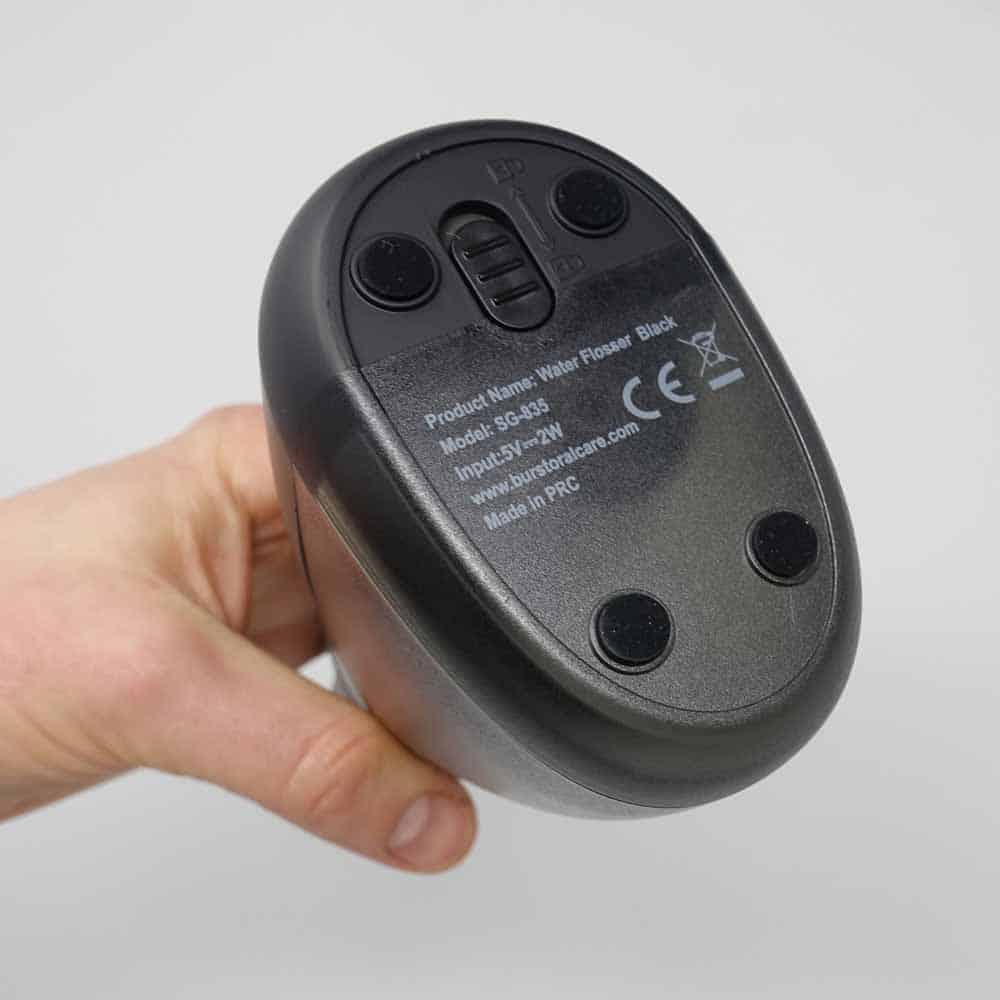
Follow this verified method to reset your Burst Water Flosser and restore normal operation.
Hold Power Button for 3 to 4 Seconds
To initiate the reset, ensure the flosser is plugged into a working outlet using the original charger. Press and hold the power button for 3 to 4 seconds. Look for flashing indicator lights, which confirms the reset has started.
You need to complete these specific actions:
- Plug the flosser into a working power outlet
- Press and hold the power button continuously
- Count to 3 or 4 seconds before releasing
- Watch for any flashing lights as confirmation
Pro Tip: Do not release the button too early. A quick press powers the device on or off normally, but a longer press triggers the reset. If nothing flashes, proceed to troubleshooting.
Confirm Reset With Flashing Lights
The flashing lights, typically red or alternating colors, are the only reliable sign that the reset is active. A steady green light without flashing means the device has partial power but has not reset. No lights at all may indicate a charging issue rather than a software lock.
Once flashing occurs, release the button and allow the unit to sit powered during charging. The presence of flashing lights confirms the reset command was received by the device firmware.
Charge After Reset
Resetting alone will not fix a deeply drained battery. Charging is a critical part of the recovery process that must not be skipped.
Charge for 8 to 12 Hours
After resetting, leave the flosser plugged in for 8 to 12 hours. The red charging light should stay on during this time. When fully charged, the red light will turn off automatically.
Consider these charging guidelines:
- Plan for at least 8 hours of charging time
- Keep the device plugged in until the red light disappears
- Do not unplug early, even if lights appear
- An incomplete charge can cause the device to fail again shortly after use
Warning: Unplugging too soon is one of the most common mistakes users make. Even if the device seems to work briefly, a partial charge will likely result in another failure.
Use the Original Charger
Always use the Burst-branded charging cable and adapter. Third-party USB cables may not deliver stable power. Some chargers trigger lights but fail to charge the internal lithium-ion battery properly.
If possible, test with a different USB power source such as a wall adapter versus a computer port to rule out low-output issues. Avoid using phone chargers, power banks, or extension cords that may not provide consistent voltage.
Fix Green Light But No Operation
One of the most common problems reported is the flosser showing a green light but making no sound, no pulse, and refusing to floss. This section addresses this specific issue.
Why This Happens
The battery has fully discharged, causing the system to hang during startup. The device powers on partially, shown by the green light, but the motor and pump remain inactive. A failed or incomplete reset leaves the unit in a non-functional state.
This is not normal operation. A working Burst Water Flosser should vibrate and emit water when activated. If you see green but get nothing else, the internal systems have not fully booted.
Force a Deep Reboot
Try this enhanced reset sequence to clear any stuck firmware state and force a clean boot:
- Unplug the flosser from the charger
- Press and hold the power button for 10 seconds to drain residual power
- Reconnect to the charger
- Wait 5 minutes for the red light to appear
- Press and hold the power button for 4 seconds until lights flash
This sequence addresses situations where the standard reset fails to fully reboot the device systems.
Troubleshoot Charging Issues
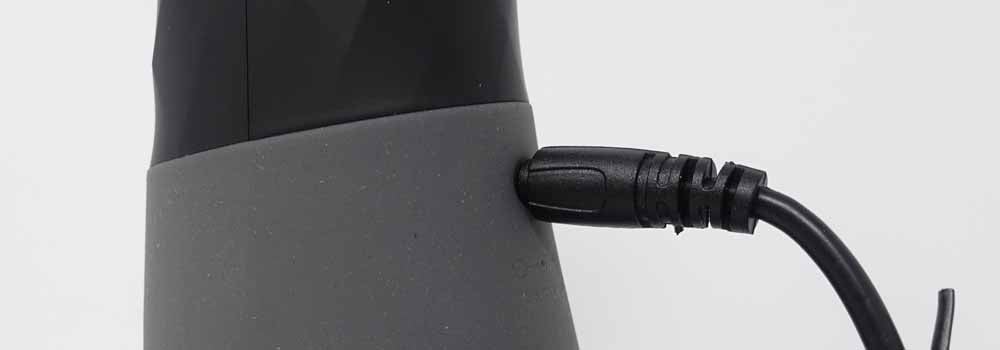
If the flosser does not respond at all, the problem may be power-related rather than the device itself. Systematic troubleshooting helps identify the actual cause.
Test a Different Outlet
According to Burst support data, 90% of battery issues are resolved simply by changing the outlet. Some bathroom outlets have GFCI faults or low power delivery. Test in a kitchen or bedroom outlet known to work with other devices.
Visual Cue: If the red light does not turn on within 5 minutes of plugging in, the power source is likely the culprit. This is the fastest way to diagnose outlet-related problems.
Verify Charger and Cable
Use only the original Burst USB cable and adapter. Inspect the cable for bends, frays, or corrosion at the connector. Try a different USB wall adapter if available, but never exceed 2A output.
Keep these specifications in mind:
- Use a 5V/1A minimum wall adapter
- Avoid phone chargers that may have different voltage profiles
- Check the connector for any visible damage
- Replace damaged cables with Burst-branded replacements
Handle Intermittent Failures
Some users report the flosser works briefly after reset but stops again within hours. This pattern indicates a more serious underlying issue.
Signs of Hardware or Battery Fault
Watch for these warning signs that suggest deeper problems:
- Device powers on after long charge but dies quickly
- Reset works once, then fails on subsequent use
- Flashing lights appear inconsistently
These symptoms suggest a failing lithium-ion battery unable to hold charge, internal circuit damage from deep discharge, or a possible manufacturing defect, especially in units under 6 months old.
When to Contact Support
If your Burst Water Flosser shows no flashing lights after multiple reset attempts, fails to turn on despite 12 hours of charging in a known-good outlet, or is less than a year old and never recovered properly, contact support.
Email Burst Customer Support at hello@burstalcare.com. Include your model number (SG835), purchase date or proof of purchase, and a summary of steps already tried. Most users under warranty receive a replacement unit if troubleshooting fails.
Prevent Future Reset Needs
Avoid recurring issues with smart charging and storage habits that maintain battery health over time.
Avoid Full Battery Drain
Lithium-ion batteries degrade faster when fully depleted. Recharge when the flosser feels weak or the light dims. Do not wait until the device stops working completely.
Store Properly When Not in Use
Keep the device in a dry, room-temperature location. Charge to about 50 to 80% if storing for more than two weeks.
Pro Tip: Plug the flosser in every 3 to 4 weeks if not in daily use to maintain battery health and prevent deep discharge cycles that can cause reset issues.
Summary: Reset Steps at a Glance
Here is the complete reset procedure in sequential order:
- Plug in the original charger to a working outlet
- Hold power button for 3 to 4 seconds until lights flash
- Charge continuously for 8 to 12 hours, red light turns off when full
- Test function by pressing power to activate pulsing
- If no flash or response, try a different outlet and cable
- Still not working? Contact Burst support for warranty help
Frequently Asked Questions About Resetting Burst Water Flosser
Why does my Burst Water Flosser show green light but not work?
This happens when the battery fully discharges and causes the system to hang during startup. The green light indicates partial power, but the motor and pump remain inactive. Try the deep reboot sequence: unplug, hold power for 10 seconds, recharge for 5 minutes, then reset again.
How long should I charge my Burst Water Flosser after resetting?
Charge the device for 8 to 12 hours after resetting. The red charging light stays on during charging and turns off automatically when the battery is fully charged. Do not unplug early, as incomplete charging can cause the device to fail again.
What does it mean if there are no lights when I plug in my flosser?
No lights usually indicate a charging issue, not a software problem. Test a different outlet first, as 90% of battery issues resolve by changing the power source. If still no lights, try a different charger or cable.
Can I use a phone charger to charge my Burst Water Flosser?
Avoid using phone chargers or third-party USB cables. These may not deliver stable power required by the lithium-ion battery. Use only the original Burst-branded charging cable and adapter for reliable charging.
How do I know if my Burst Water Flosser needs replacement?
Contact Burst support if the device shows no flashing lights after multiple reset attempts, fails to turn on despite 12 hours of charging in a working outlet, or is under warranty and did not recover after trying all troubleshooting steps.
What is the model number of the Burst Water Flosser?
The Burst Water Flosser model referenced in this guide is SG835. This information helps when contacting customer support for warranty claims or technical assistance.
Key Takeaways for Resetting Your Burst Water Flosser
The how to reset Burst water flosser process is straightforward when the device receives stable power. Most failures stem from outlet issues, dead batteries, or incomplete resets rather than permanent damage. The critical steps are holding the power button for 3 to 4 seconds until you see flashing lights, then charging for a full 8 to 12 hours.
Remember that changing the outlet resolves approximately 90% of battery-related problems, so always test a different power source before assuming the device is broken. Use only the original charger, avoid letting the battery fully deplete, and store the device properly when not in use.
For persistent problems, especially in newer devices under one year old, Burst customer service typically provides fast resolution through replacements. Keep this guide handy to save time and avoid unnecessary replacements.