
You press the power button, but nothing happens. No light, no hum, no water stream. Your water flosser is completely dead, even though it worked perfectly yesterday. This is one of the most common issues reported by water flosser users, especially after 18 to 24 months of daily use. The good news is that over 60% of cases can be fixed without replacing the unit. This guide walks you through every possible cause and step-by-step solutions to get your device working again.
Whether you own a Waterpik countertop model, a cordless unit, or a Sonic-Fusion combo, you will learn exactly how to diagnose and fix the problem. We cover simple fixes like outlet issues and mineral buildup, plus advanced repairs like blown fuses and battery replacement.
Check Power Source First
Before assuming your device is broken, confirm the issue is not with your power setup. Many “no power” cases actually stem from external electrical problems that are easy to overlook.
Test the Wall Outlet
A faulty outlet causes approximately 35% of water flosser not turning on cases. Plug in another device like a phone charger to verify the outlet works. If nothing powers on, check your circuit breaker or GFCI switch, especially in bathrooms where outlets are often protected.
Inspect the Adapter and Cord
Examine the power adapter and cord for visible damage. Look for these common issues:
• Fraying or kinks along the cord
• Loose connections at the adapter or device end
• Burn marks or swelling on the adapter housing
If your cord has an inline switch, ensure it is turned on. For AC-powered models, the adapter should output 12V DC. Use a multimeter to test this by setting it to DC voltage, inserting probes into the adapter tip and sleeve, and checking that the readout shows 10 to 13V. If it reads below 10V or shows zero, replace the adapter with only an OEM or approved equivalent. Third-party adapters can damage internal circuitry.
Verify Charging and Battery Status
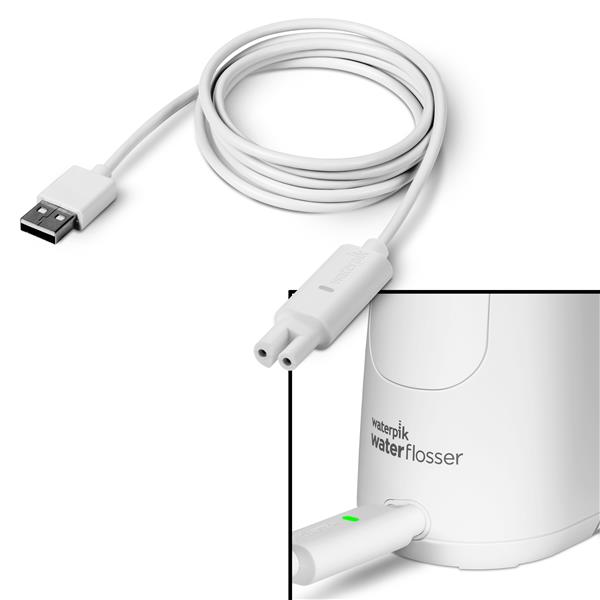
For cordless and portable models, battery issues are the top culprit when your water flosser not turning on becomes an issue. Understanding the charging behavior helps pinpoint whether the battery is dead, the charging base is faulty, or the battery cannot deliver the surge current needed to start the motor.
Look for Charging Light Indicators
Pay attention to what the charging lights tell you:
• No light when docked: Battery may be dead or charging base faulty
• Flickering blue light: Suggests weak battery or poor contact
• Solid light but unit won’t turn on: Battery may not deliver surge current to the motor
Try pressing the power button while the unit is charging. If it briefly vibrates then shuts off, the battery cannot sustain the load required to run the device.
Try a Known Working Charger
If your model uses USB charging like some cordless Waterpiks, test with a 5V/1A or higher USB adapter. Avoid low-power phone chargers or laptop ports that may not supply enough current to properly charge the battery.
Reset the Device
Many startup failures are due to firmware glitches or electrical lockups. A reset clears temporary faults in the Battery Management System and often restores normal operation.
Perform a Full Reset
Follow these steps exactly:
- Power off the unit completely
- Press and hold the power button for 15 to 20 seconds
- While holding, place it on the charging base
- Continue holding for 10 more seconds
- Release and charge uninterrupted for 4 or more hours
This forces a system reboot and clears temporary faults that may be preventing your water flosser not turning on issue from resolving.
Try a Power Cycle Reset
Unplug the unit or remove batteries. Wait 5 to 10 minutes to discharge capacitors completely. Reconnect power and try turning it on. This simple fix resolves intermittent power issues in many models.
Clean the Reservoir Contacts
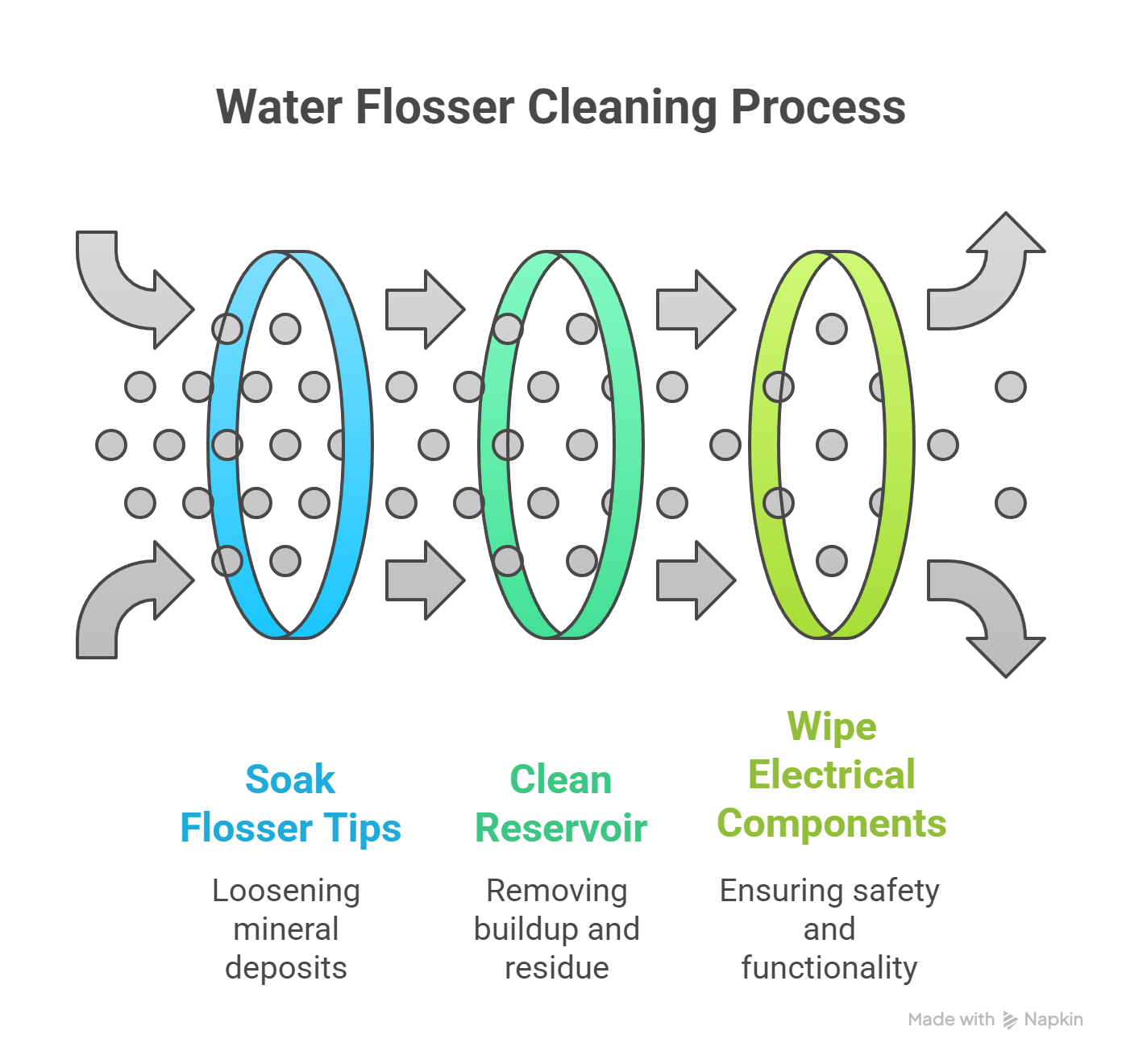
Mineral buildup on electrical contacts prevents power delivery and accounts for approximately 23% of water flosser not turning on cases. The water tank must make proper contact with the base for the circuit to complete.
Reseat and Inspect the Reservoir
Remove the reservoir and check for these issues:
• Cracks or warping in the tank
• Limescale buildup on metal contacts
• Discoloration indicating oxidation
The water tank must be fully seated in the base. Even a slight gap breaks the circuit and causes power failure.
Descale the Contacts
- Dampen a cotton swab with white vinegar or isopropyl alcohol
- Scrub the contacts on both the reservoir and base
- Use a soft toothbrush for stubborn deposits
- Dry completely before reassembling
For deeper cleaning, mix 2 to 4 tablespoons of vinegar in 16 ounces of warm water, run half through the unit, let sit 30 minutes, then flush with clean water. Use distilled or filtered water if you have hard water to prevent future buildup.
Unlock the Child Safety Lock
Some models have a child-lock feature that disables operation entirely. If your water flosser not turning on but lights up when charging, this could be the issue.
Disable the Lock
Hold the power button for 5 to 10 seconds. On some models, press power and mode buttons simultaneously. Look for a flashing light or beep indicating unlock. Check your user manual for model-specific steps if these do not work.
Diagnose Battery Failure
After 18 to 24 months, lithium-ion batteries degrade and fail to power the motor. This is a common cause of water flosser not turning on in older units.
Signs of Battery Failure
Watch for these symptoms:
• Charges but won’t turn on
• Requires dozens of button presses to start
• Makes a single buzz or click then dies
• Dies quickly after charging
Even if the indicator shows full charge, the battery may not deliver the surge current needed to start the motor.
Replace Removable Batteries
For models using AA or AAA batteries, replace all at once with high-quality alkaline or NiMH rechargeables. Ensure correct polarity and never mix old and new batteries as they create voltage imbalances.
Recondition Long-Term Stored Units
If unused for over 12 months, the battery may be in deep discharge. Perform 3 to 5 full charge-discharge cycles. This can restore up to 80% capacity but won’t work if the battery is swollen or physically damaged.
Fix Charging Contact Corrosion
Moisture and hard water corrode charging contacts, especially in Sonic-Fusion and Complete Care models. This is a frequent cause of water flosser not turning on problems.
Clean Corroded Contacts
- Unplug the device
- Dampen a cotton swab with isopropyl alcohol
- Gently scrub both handle and base contacts
- Look for brown or black discoloration indicating oxidation
- Air dry for 15 to 20 minutes before recharging
Never use water as it worsens corrosion.
Prevent Future Buildup
Wipe contacts weekly with a dry cloth. Keep the handle docked when not in use. Avoid continuous charging and unplug after full charge to extend battery and contact life.
Repair Internal Component Failures

If basic fixes fail, the issue may be internal. Several components can cause complete power loss.
Test the Thermal Fuse
A blown thermal fuse cuts power during overheating and is common in countertop models. The fuse is located on the circuit board near the motor or power input.
To check the thermal fuse:
- Open the casing with a Phillips screwdriver
- Locate the small cylindrical fuse on the circuit board
- Set multimeter to continuity mode
- Touch probes to both ends
- If no beep or open reading, the fuse is blown
Replace with a 250V, 10A, 113°C thermal fuse. Solder in place with flux and heat protection, then insulate with heat-shrink tubing. Never bypass the fuse as this removes overheat protection and creates a fire hazard.
Inspect Circuit Board and Motor
If power reaches the adapter but not the motor, the board or motor may be damaged. This is a more advanced diagnosis for water flosser not turning on issues.
Look for Visual Damage
Open the unit and check the circuit board for these indicators:
• Burn marks on the PCB
• Blistered components
• Corrosion near motor terminals
Use a multimeter to test DC output to the motor. Expected output is around 120V DC depending on model. No output indicates a faulty board.
Test for Motor Seizure
In combo units, the toothbrush motor often fails while the flosser works. Symptoms include lights turning on, buttons responding, but no vibration. Just a click or buzz occurs when activated.
To fix a seized motor:
- Disassemble the handle
- Expose the motor shaft
- Clean with 600 or higher grit sandpaper
- Apply petroleum jelly as lubricant
- Reassemble carefully
This removes rust caused by failed rubber bushings letting in moisture.
Reconnect Sonic-Fusion Wireless Handle
Sonic-Fusion models use wireless communication between handle and base. Connection loss causes water flosser not turning on symptoms.
Handle Not Responding?
Watch for these signs:
• Blue LED on base is off
• Floss button doesn’t work
• Handle charged but inactive
Re-Pair the Handle
- Place handle in dock
- Remove after 1 to 2 seconds
- The blue light should turn on
- Try using the flosser
Keep the handle docked when not in use to maintain connection and battery health.
Use LED and App Diagnostics
Newer models provide built-in error codes that help diagnose water flosser not turning on issues quickly.
Read Flashing Light Patterns
• 3 blinks, pause, repeat: motor fault
• Rapid red blink: battery or charging issue
• No light: no power or dead battery
Refer to your manual for model-specific codes.
Connect to the Waterpik App
Bluetooth-enabled models offer real-time diagnostics, usage tracking, and guided troubleshooting. App alerts can identify low battery, charging errors, or component failure, cutting diagnosis time by up to 40%.
When to Contact Waterpik Support
If all else fails, reach out to the manufacturer, especially if under warranty.
Warranty Coverage
Waterpik offers a 2-year limited warranty that covers power supply failures, motor and circuit board defects, and charging and battery issues. No proof of purchase is required in most cases.
What to Expect
Support will guide you through resets and cleaning. If unresolved, you will likely receive a replacement unit often shipped in 3 to 5 days with no return needed. Have your model number ready such as WP, WF, CC, or SF series.
DIY vs. Replace: Cost-Benefit Decision
For out-of-warranty units, decide whether to repair or replace based on cost and effort.
Try These First
These fixes have high success rates and are non-invasive:
• Reset the device
• Clean contacts and reservoir
• Replace adapter or batteries
Consider DIY Repair If
You are technically skilled, have tools like a soldering iron and multimeter, and can source parts. Success varies and some report recurring issues after repair.
Replace If
Multiple components failed, the case is cracked or seals damaged, or repair cost exceeds $30. A new unit often makes more sense than hours of troubleshooting.
Prevent Future Power Failures
Extend your water flosser’s life with smart habits to avoid water flosser not turning on problems in the future.
Charge Smart
• Charge after each use
• Avoid full battery depletion
• For storage, charge to 50 to 70% and recharge every 3 months
Maintain Monthly
• Descale reservoir with vinegar solution
• Clean nozzles in hydrogen peroxide for 5 to 7 minutes
• Wipe charging contacts dry
Optimize Environment
Store in a dry, ventilated area. Use distilled water in hard water regions. Place on a towel to reduce vibration stress on internal components.
Frequently Asked Questions About Water Flosser Not Turning On
Why does my water flosser suddenly not turn on?
The most common causes are power supply issues, battery failure, or mineral buildup on contacts. Start by testing the wall outlet and checking for visible cord damage. If those are fine, try resetting the device or cleaning the reservoir contacts.
Can a water flosser battery be replaced?
For models with removable batteries like those using AA or AAA, you can replace them. For internal lithium-ion batteries, Waterpik does not sell replacements, but some users have performed DIY replacement using 3.7V cells from other devices. This requires technical skill and may void warranty.
How do I reset my water flosser?
Power off completely, then press and hold the power button for 15 to 20 seconds while placing it on the charging base. Continue holding for 10 more seconds, then release and charge uninterrupted for at least 4 hours. This clears firmware glitches causing water flosser not turning on issues.
Why does my water flosser only work when plugged in?
This indicates the battery cannot hold a charge or deliver sufficient surge current. The battery is likely degraded and needs replacement if removable, or the unit may need professional service if the battery is internal.
How long should a water flosser last?
With proper care, a water flosser typically lasts 3 to 5 years. Failure peak occurs at 18 to 24 months with daily use, which aligns with the end of the warranty period. Regular maintenance extends lifespan significantly.
Is it worth repairing an old water flosser?
If under warranty, contact Waterpik for free replacement. For out-of-warranty units, try low-cost fixes like cleaning contacts and resetting first. If the thermal fuse is blown or motor is seized, DIY repair may work. If multiple components have failed, replacement is usually more cost-effective.
Key Takeaways for Fixing Your Water Flosser Not Turning On
A water flosser not turning on is usually fixable. Start with the simplest solutions first: test your power source, perform a reset, and clean the reservoir contacts. These three steps resolve the majority of cases and require no tools or replacement parts.
For cordless models, battery degradation after 18 to 24 months is the most likely culprit. If your unit shows a full charge but immediately shuts off when you press power, the battery cannot deliver the surge current needed to run the motor. Either replace removable batteries or consider whether replacement makes more sense for internal battery models.
If basic fixes do not work, advanced diagnostics like checking the thermal fuse or inspecting the circuit board for burn marks can identify internal failures. However, these repairs require technical skill and tools. For most users, contacting Waterpik support under warranty or purchasing a new unit is the more practical path.
With proper care including monthly descaling, smart charging habits, and using distilled water in hard water areas, your next water flosser can last years beyond the typical 2-year failure peak.